Pipeline
Your deals,
board or table.
See the whole pipeline as a kanban board or a table, move deals with a drag, and let the assistant flag the ones going quiet, with every write held for your approval.
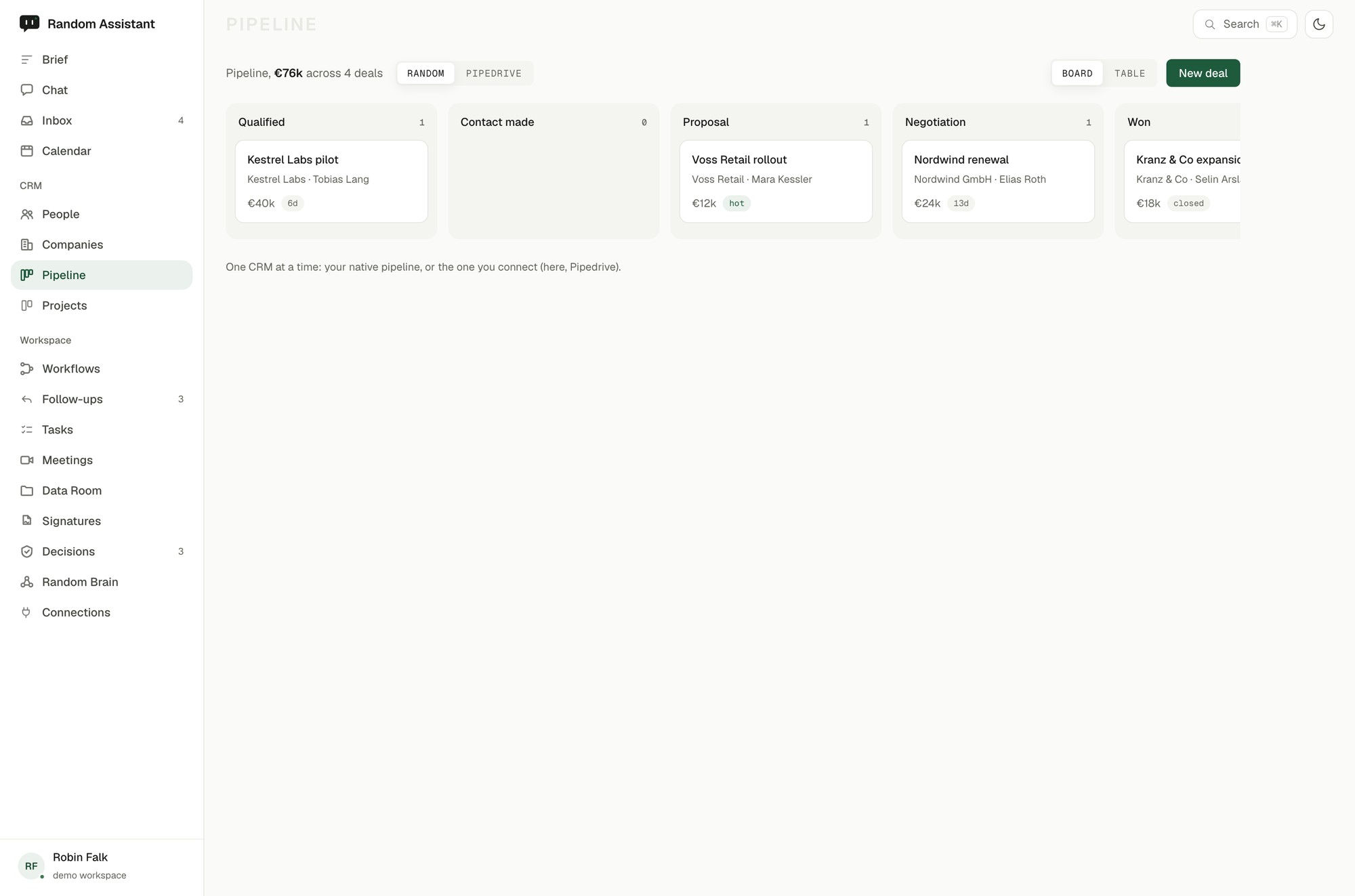
See the whole pipeline as a kanban board or a table, move deals with a drag, and let the assistant flag the ones going quiet, with every write held for your approval.
Work the pipeline as a board or a table, drag deals through the stages, and let the assistant surface the deals going cold and suggest the next step, native or synced to your CRM.
Work the pipeline the way you think.
The assistant keeps an eye on the board.
Native, or in lockstep with your CRM.
Connect your tools and the assistant starts working from your real work right away. It takes minutes.
Request early access