Your inbox, drafted.
Never sent.
It reads your mail, learns how you write to each person, and stages a reply in your voice. Everything waits for your approval.
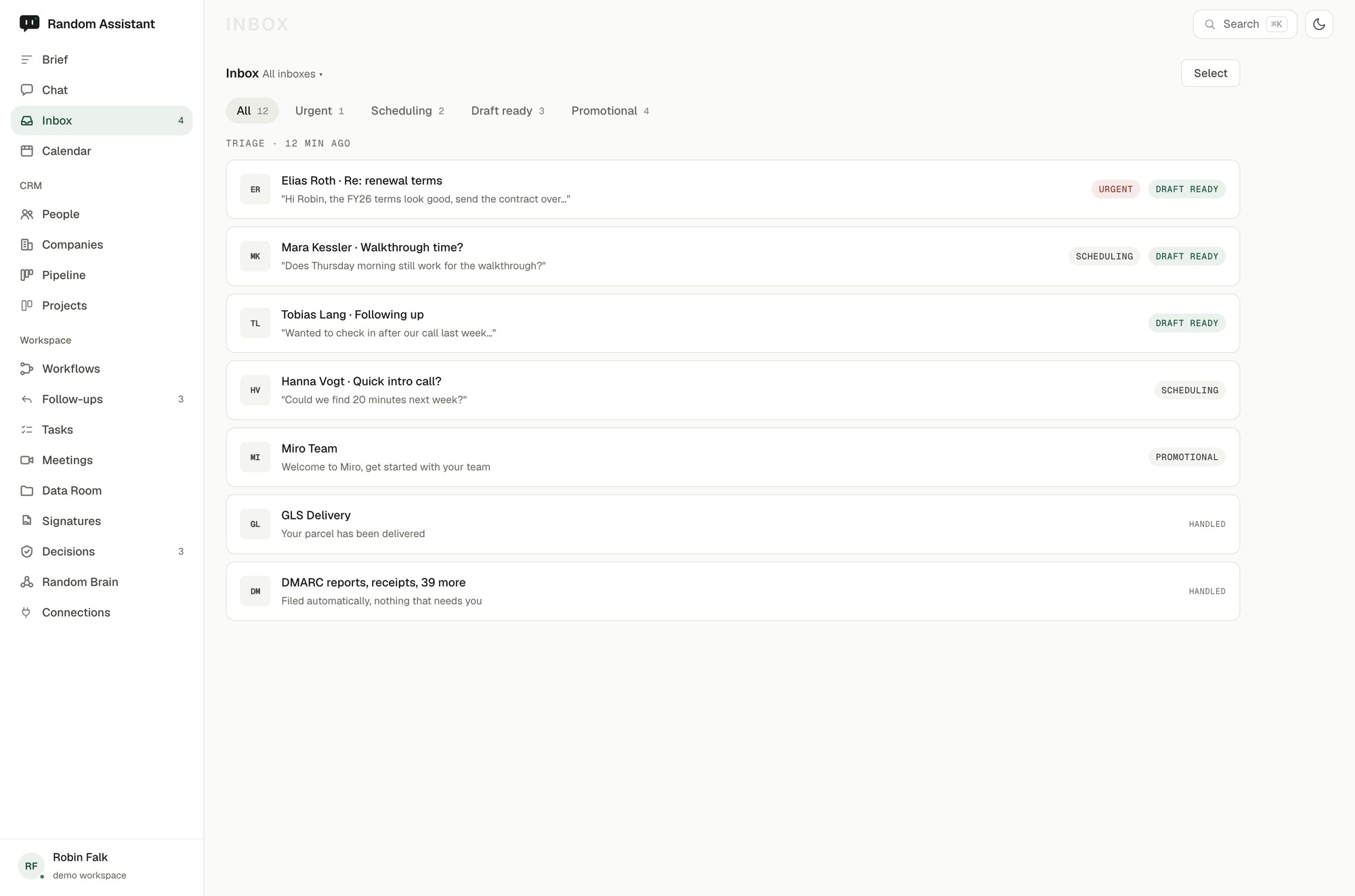
It writes the way you write, per person.
The draft is grounded in the real thread and your recent meetings, and it matches how you speak to that person, formal or familiar, in German or English. Not a template with your name pasted on top.
It ranks what actually needs you.
The assistant reads the inbox, sorts what needs a reply from what does not, and puts the messages that need a decision at the top, each with a draft already waiting. You start the day at the three that matter, not the forty that do not.
You approve, it lands in Drafts
Approval writes the reply into your own Drafts folder in Gmail or Outlook. Sending stays your move, always.
Gmail and Outlook
Connect over OAuth. Both connect through Nylas (EU, Ireland), listed on our sub-processor register.
Ready before you wake
Overnight mail is triaged and drafted, so the first thing you see is a short list, already handled up to the point of your call.
The hour a day you lose to the same replies.
Not another inbox to check. The drafting an assistant would do, without the hire, the onboarding, or the wait.
Part of the whole.
The inbox is not a standalone tool. It draws on everything the assistant already knows.
Powered by memory
Every draft carries what Random Brain knows about the person and the deal, so it never starts from a blank page.
See Random Brain →Fed by meetings
Decisions and follow-ups from your calls become the context the next reply is written against.
How meeting transcripts work →Writes to your CRM
A reply that moves a deal can stage the CRM update too, waiting for the same one approval.
Back to overview →Your meetings,
turned into briefings.
Connect the notetaker you already use. Once it has recorded and transcribed a call, Random Assistant turns that transcript into a briefing, the decisions made, and the follow-ups.
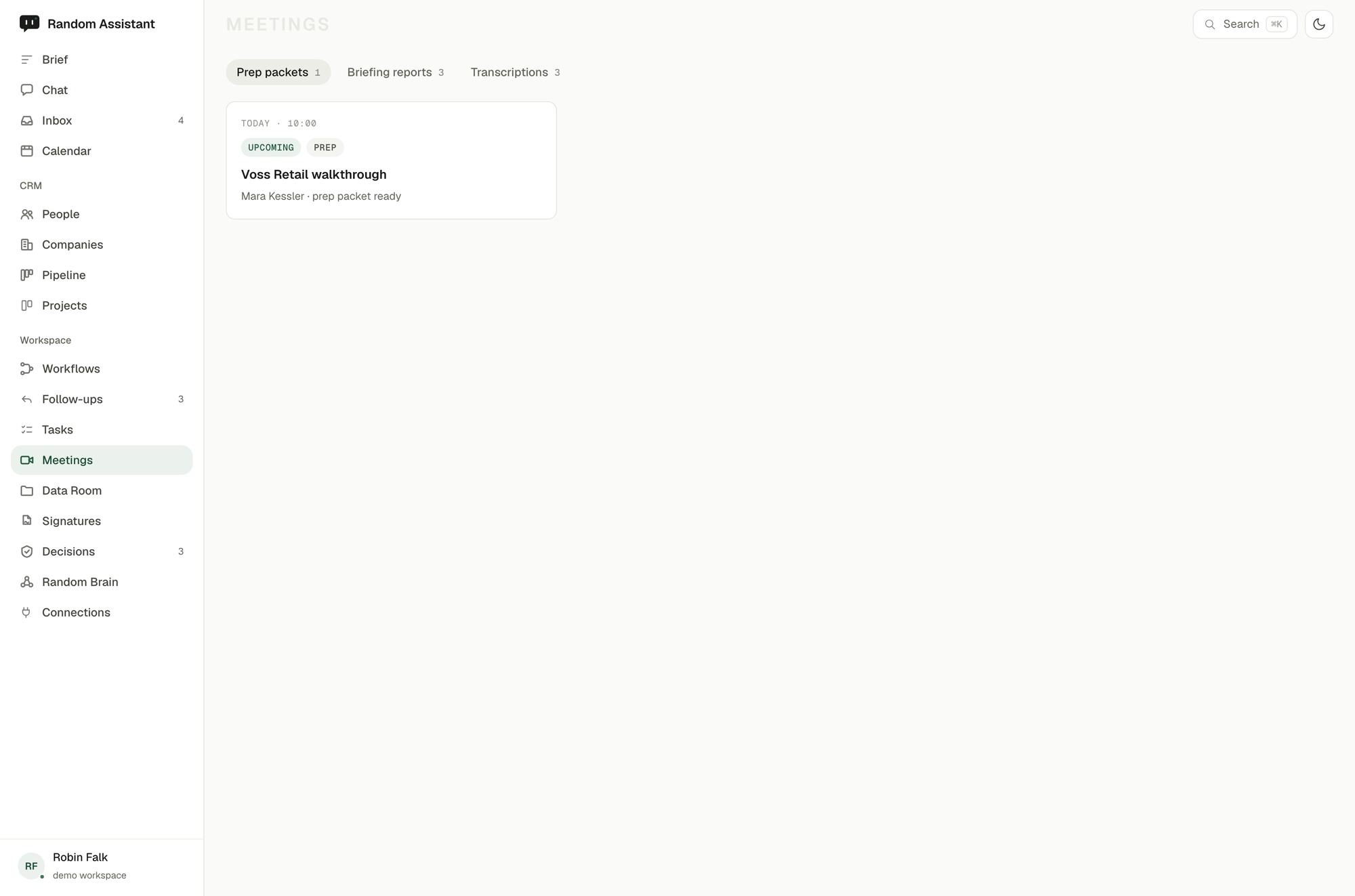
It reads the transcript. You keep your tool.
It connects to the notetaker or meeting tool you already run, and picks up the transcript once the call is done. Whatever you use for recording stays exactly where it is.
The conversation, turned into a briefing.
When the call ends, the transcript becomes something you can use: a short briefing, the decisions that were made, and the follow-ups that came out of it. You read a page, not a recording.
Pricing was confirmed at FY26 terms. A revised proposal is due Monday, and Mara Kessler owns the scheduling for the follow-up call.
Follow-ups where you work
Each follow-up is staged as a task and, where it belongs, a CRM update, waiting for your approval like everything else.
Consent stays in your tool
Recording, notice, and consent live in the notetaker you already use. Random Assistant only ever works from the transcript it produces.
Remembered afterwards
What was decided feeds Random Brain, so the next draft and the next brief already know the outcome.
The scramble to write up who agreed to what.
The transcription tool and the note-taking after it, folded into the assistant that already runs your day.
Part of the whole.
What happens on the call does not stay on the call.
Feeds your memory
Decisions become durable facts in Random Brain, so nothing agreed in a call is lost by the next one.
See Random Brain →Drafts the follow-up
The email that a decision needs is written in your voice, staged in your Inbox for approval.
See the Inbox →Updates the deal
A pricing agreement can move the deal in your CRM, once you approve it.
Back to overview →It remembers, so you
never repeat yourself.
Random Brain is the assistant's memory of you and your business. It learns as you work, so every draft and brief already carries the context.
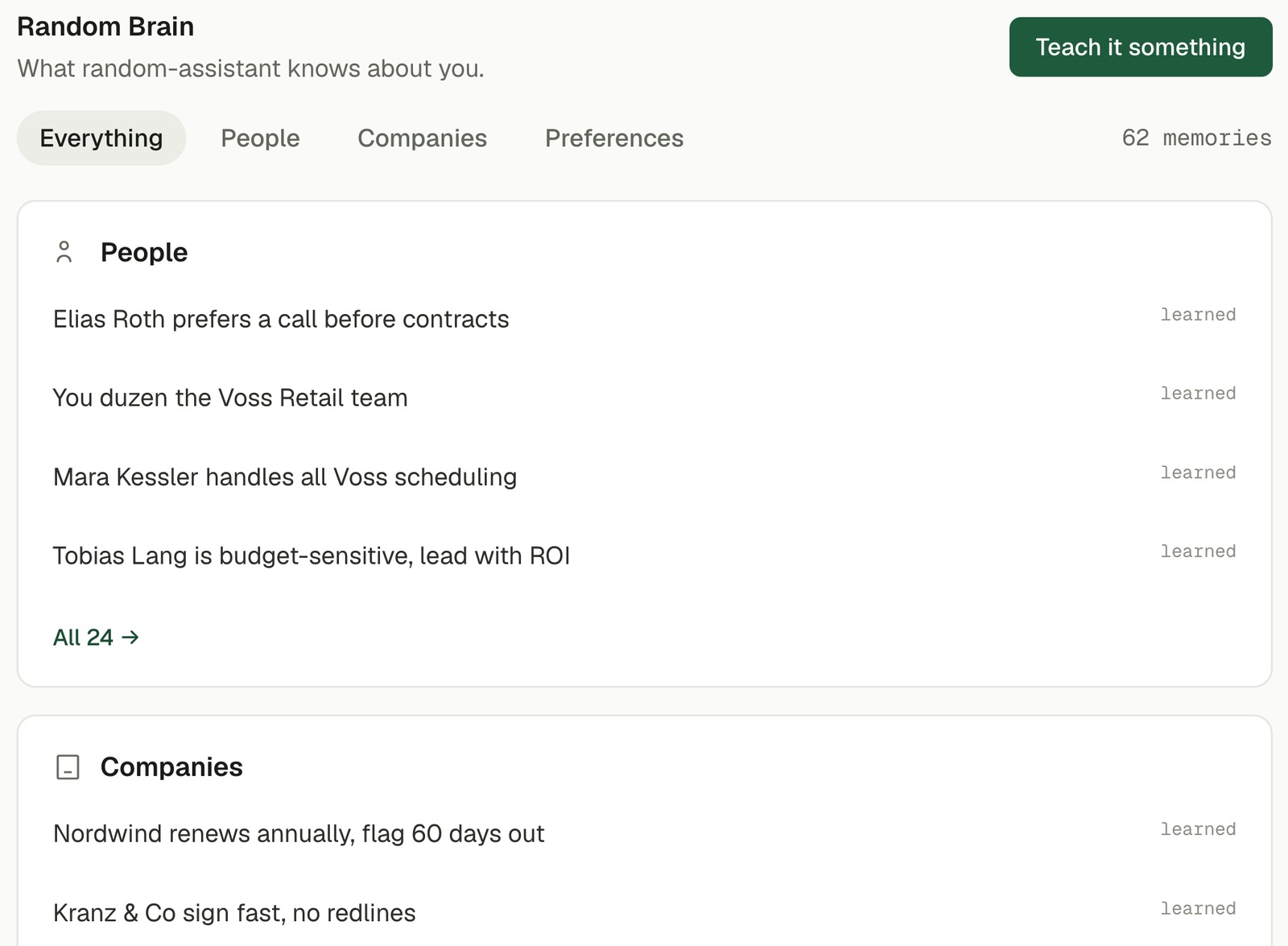
Durable facts, not a chat history.
Random Brain keeps the things that stay true: who the people are, how deals with them tend to go, the way you like things done. It builds this from your real work, not from a form you fill in.
Every draft already has the context.
When the assistant writes a reply or a brief, it recalls what matters about the person and the deal, by meaning, not by keyword. So the draft opens knowing the history, and you are not re-explaining yourself to a tool.
See it
Everything the assistant holds about you is visible. No black box, no memory you cannot inspect.
Edit it
A fact that changed, or was never quite right, you can correct in place. The next draft uses the correction.
Forget it
Delete any memory and it is gone. Your memory is yours to control, down to the single fact.
Re-explaining yourself to every tool.
The context you keep in your own head, and lose when you are away, held by the assistant instead.
Part of the whole.
Memory is not a feature you visit. It is what makes the rest of the assistant yours.
Every draft, in context
The Inbox writes replies that already know the person and the deal, because Random Brain is behind them.
See the Inbox →Meetings remembered
What was decided on a call becomes a durable fact, ready for the next conversation.
How meeting transcripts work →Yours to control
See, edit, or forget anything it holds, and export or delete all of it at any time.
See the controls →